130 lesson: two legs, forward then sideways
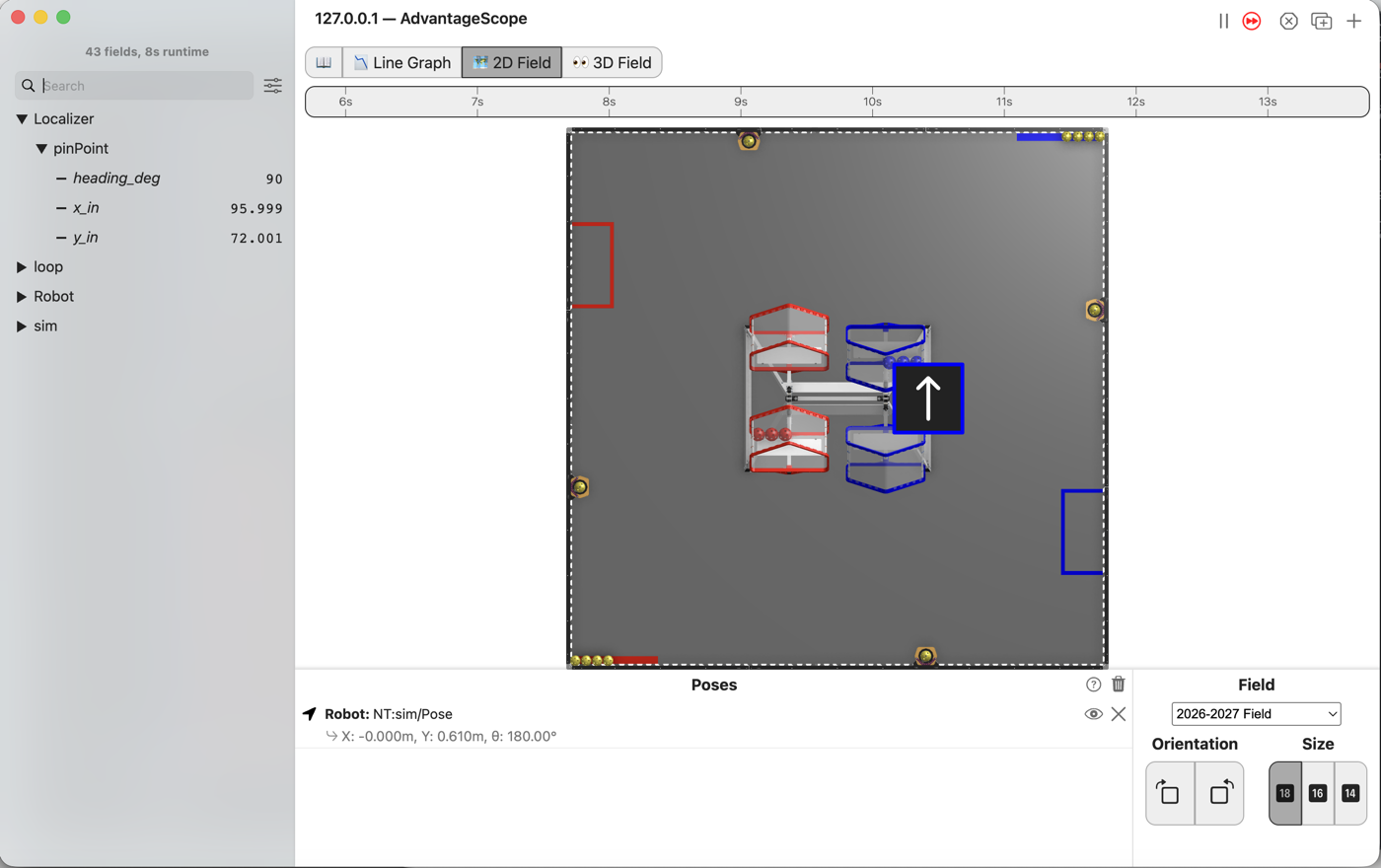
The robot drives forward, then slides 24 inches to its right without turning, and holds where it ends up. It is the first autonomous that does more than one thing.
Before you start.
L125 is done.
AdvantageScope is installed on the same laptop. No gamepad is needed.
The robot, the Driver Station, a piece of tape, a tape measure, and about 1 m by 2 m of clear floor for the last step.
the steps
L130S010: copy the starter into mytry
Copy. In lessons, click L130ForwardThenStrafeOpMode once and copy it. Click mytry once
and paste. In the Copy Class box, click OK. If Android Studio asks whether to add the file
to Git, click Add.
Check.
mytryholdsL130ForwardThenStrafeOpMode, and the new file is open.
L130S020: switch your copy on
Change. Delete the line @Disabled, under the comment that names this step.
Check.
Under the step’s comment, the next line reads
// 'public' so the robot can run this OpMode. 'public' allows access from any code.
L130S030: add a second leg and a hold
A pose is a place on the field and the way the robot faces there. Near the top of the class are
three poses: start, corner and end. All three face 90 degrees.
corner is straight up the field from start, and end is 24 inches to the right of corner.
driveForwardThenStrafe() already holds the first leg, from start to corner. It is L125’s
line, with one item on each line so there is room for more.
Change. In driveForwardThenStrafe(), type a comma at the end of the first leg. The comment
that names this step is under it. Under the comment, type:
        return sequential(
                follow(follower, line(start, corner).constant(start)),
                // When on L130S030, see
                // https://msb-stitt.github.io/ftc31459-26-27-biobuzz/guide/tasks/l130.html#l130s030
                // for what to do here.
                follow(follower, line(corner, end).constant(start)),
                hold(follower, end)
        );
Each item but the last ends with a comma. The second leg holds start’s heading too, so the robot
never turns. It slides sideways instead, which is what mecanum wheels are for. hold keeps the
robot at end once it gets there.
hold turns red. Click it and press Option+Enter, as in L125.
Simulator. In the Terminal, run:
./gradlew :TeamCode:simRun --args="mytry.L130ForwardThenStrafeOpMode"
AdvantageScope. Connect to the simulator as in L020, click 2D Field, and open the
Localizer folder, then pinPoint.
Check.
The robot has stopped right of the middle of the field.
x_inreads 96 andy_in72.heading_degis still 90.
L130S040: drive it on the floor
Robot. Stop the simulator. The robot drives about 62 in forward, then 24 in to its right, so
clear that much floor, plus room for the robot. Put the robot on the floor with a piece of tape at
its front edge.
Send the code, and run L130 Forward Then Strafe from the autonomous list.
Check.
The robot drives straight forward and stops, then slides to its right and stops again.
Its nose points the same way the whole time.
If it didn’t, and the robot cuts across in one diagonal, the first leg goes to end instead of
corner. LessonsTest.l130_autoDrivesForwardThenStrafesSideways fails with
drove straight up to the corner first expected:<0.0> but was:<20.307354640929788>.
If it didn’t, and the test fails with
never turned, so it still faces +y expected:<90.0> but was:<116.04530086607369>, the second leg
is .constant(90). The number form is radians, as in L125.
If it didn’t, and on the floor it slid left, check which way +x runs from where the robot stands. Facing +y, the robot’s right hand points at +x.
hold is not checked: the test passes with it left out. On a floor it keeps the wheels
pushing back if something bumps the robot once the path is over.
What you just did. An autonomous routine is a list. Two legs and a hold here, and a match autonomous is the same list with more items, some of them moving something other than the wheels.
A leg holds one heading from one end to the other. Hold the same heading on both legs and the robot never turns. Where it goes and which way it faces are two separate things, and L140 spends that.
Where next. L140 goes back to the sticks, where a stick means a direction on the field.