125 lesson: the first autonomous
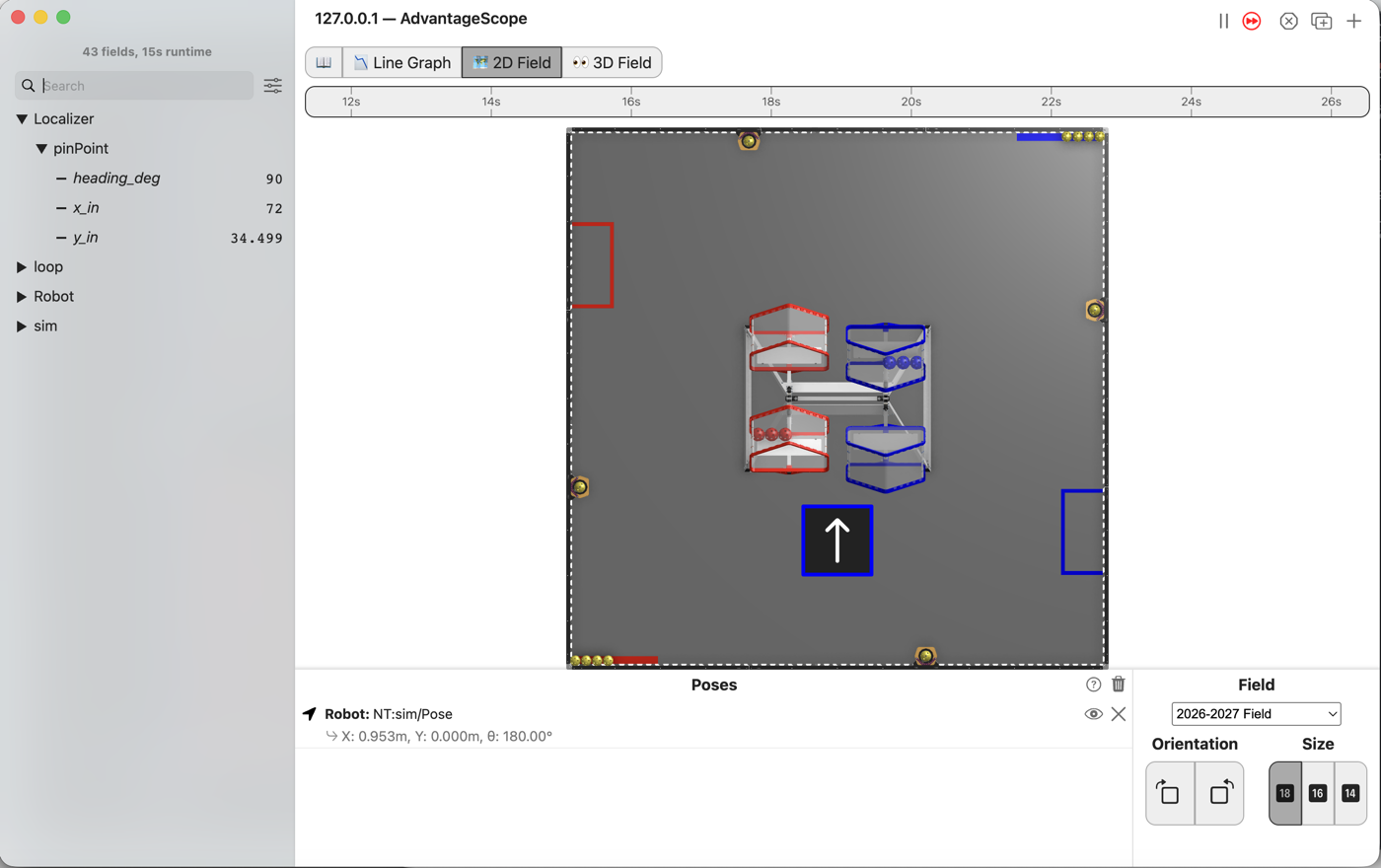
The robot drives 24 inches forward on its own and stops there. Nobody touches a stick. The path follower does the driving, and you write one line to tell it where to go.
the steps
L125S010: copy the starter into mytry
Copy. In lessons, click L125Drive24OpMode once and copy it. Click mytry once and paste.
In the Copy Class box, click OK. If Android Studio asks whether to add the file to Git,
click Add.
Check.
mytryholdsL125Drive24OpMode, and the new file is open.
L125S020: switch your copy on
Change. Delete the line @Disabled, under the comment that names this step.
Check.
Under the step’s comment, the next line reads
// 'public' so the robot can run this OpMode. 'public' allows access from any code.
L125S030: say where to go
An autonomous has no sticks to read. It has driveForward24(), which hands back a command: a
list of things to do, in order. start() schedules that command, and the robot runs it after PLAY.
start and end are already near the top of the class, 24 inches apart along the field’s y. The
robot starts facing along y, so the line from one to the other is straight ahead. startPose()
tells the follower where the robot is at the start.
Change. In driveForward24(), find the comment that names this step. Delete the line
return Command.NOOP; under it, and type:
        // When on L125S030, see
        // https://msb-stitt.github.io/ftc31459-26-27-biobuzz/guide/tasks/l125.html#l125s030
        // for what to do here.
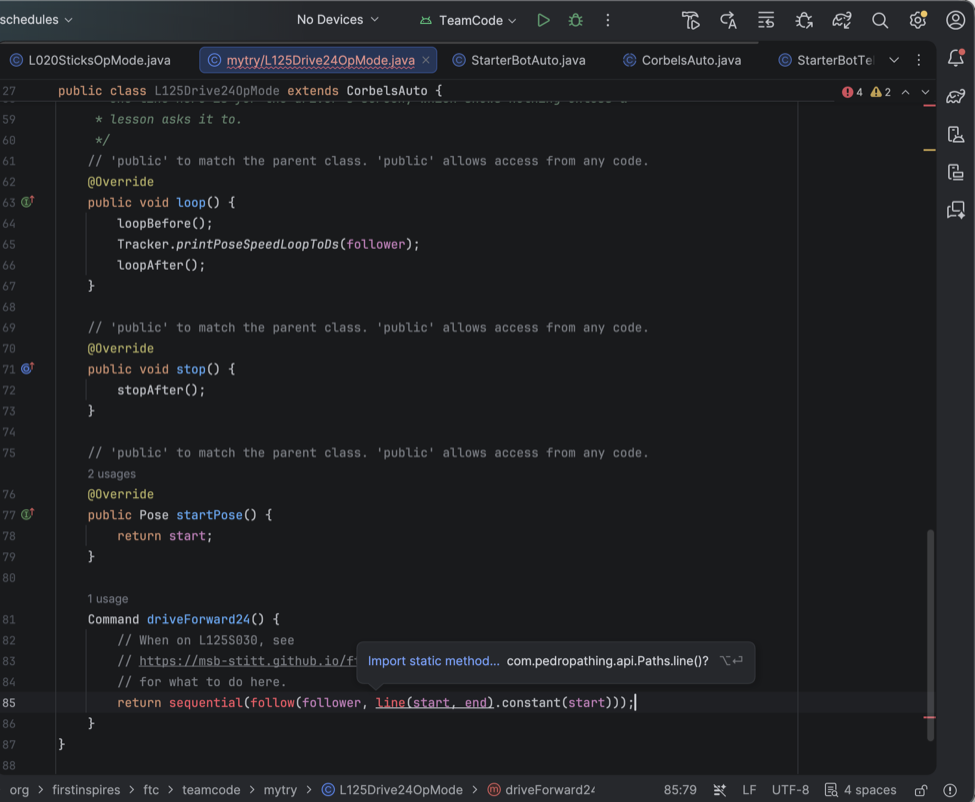
        return sequential(follow(follower, line(start, end).constant(start)));
Read it from the inside out. line(start, end) is the path. .constant(start) holds the heading
start has the whole way. follow drives the path. sequential makes the list, and this list has
one thing in it.
sequential, follow and line turn red. For each one:
Click it.
Press Option+Enter on a Mac, Alt+Enter on Windows. This time the popup says Import static method…, because each is a method, not a class. Pick it.
Android Studio adds an
import staticline at the top of the file.
Simulator. In the Terminal, run:
./gradlew :TeamCode:simRun --args="mytry.L125Drive24OpMode"
AdvantageScope. Connect to the simulator as in L020, click 2D Field, and open the
Localizer folder, then pinPoint.
Check.
The robot has driven up the field and stopped.
y_inreads 34.5, which is 24 more than the 10.5 it started at.x_instays at 72 andheading_degat 90.
L125S040: drive it on the floor
Robot. Stop the simulator. Put the robot on the floor with a piece of tape at its front edge.
Send the code, and run L125 Drive 24 from the Driver Station. It is in the autonomous list, not
the TeleOp one. Keep your hands off the sticks.
Check.
The robot drives forward, slows down, and stops, all by itself!
Measure from the tape to the front edge. It is close to 24 inches.